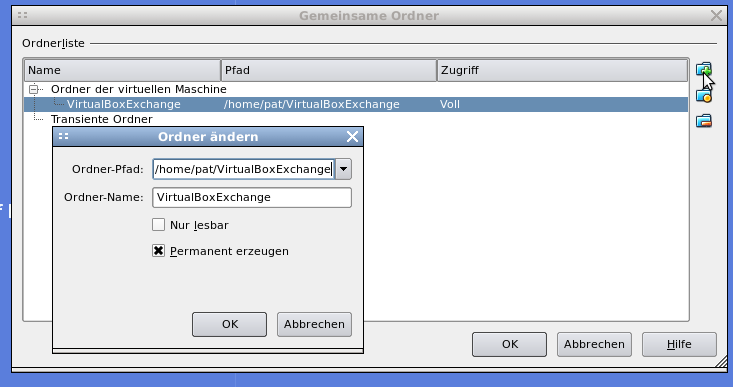
1. Create the folder on your host you like to share with the virtual machine (e.g. /home/pat/VirtualBoxExchange).
2. Add the shared folder to your virtual machine.

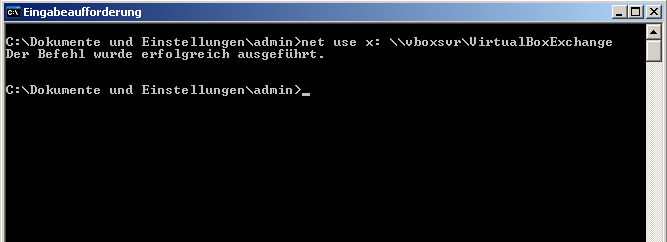
3. Open the command prompt on the windows machine (Start -> Run -> cmd.exe) and type
net use x: \vboxsvrVirtualBoxExchange
4. Have fun.
Pingback: Virtual Box: Shared Folder on Linux host and Linux guest » carrier-lost.org